Make Your Image Transparent or Semi-Transparent
Free opacity reducer with slider. Works on iPhone, Laptop, in any browser, no app installation required. Make images semi-transparent for watermarks, digital tracing, overlays and design. Download original size of your image. No AI, no watermark, no limits.
Reduced opacity PNGs or WEBPs are essentially the digital version of tracing paper. While a standard PNG and WEBP can have a 100% transparent background, reduced opacity means the entire image is semi-see-through (translucent).
Since FreeToolio tools are built mainly for artists, designers, photographers, developers, and hobbyists, here is why our users find this tool valuabe:
- Digital Tracing & Lightbox Effect - This is the #1 use case for artists.

- Method: An artist takes a reference photo, reduces its opacity to 20–30%, and places it on a layer above their digital canvas.
- Benefit: Works like a digital lightbox - you see your lines clearly while the reference guides proportions underneath.
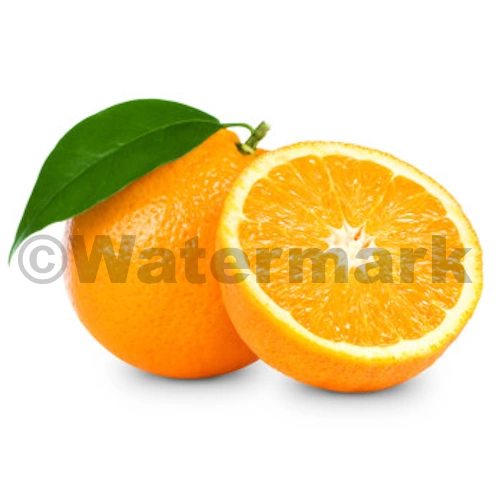
- Create Watermarks - Photographers and artists use reduced opacity PNGs or WEBPs to protect their work.
- Method: Lower a logo to 10–15% opacity and place it over an image.
- Benefit: Protects artwork without ruining the viewing experience.
- UI / UX & Web Overlays - For web developers, semi-transparent PNGs or WEBPs are used for modern interface elements.
- Method: Create frosted-glass overlays where the background content is still visible but pushed to the back.
- Benefit: Adds depth and modern design aesthetics.
- Texture Layering for Digital Painting - Digital painters use semi-transparent PNGs or WEBPs to add "grit" or "paper texture" to a clean drawing.
- Method: Artists take a PNG or WEBP of "cracked paint" or "watercolor paper", reduce the opacity in this tool, and set it as the top layer.
- Benefit: It instantly makes a "flat" digital drawing look like it was done on a physical surface.
How do I create a transparent watermark?
- Upload your image.
- Move the opacity slider to reduce visibility.
- Download the image in its original size and quality. No compression. No limits.